Five Simple Steps to Start Exploiting a Semantic Web of Linked Data — Using OpenLink Virtuoso
Five Simple Steps to Start Exploiting a Semantic Web of Linked Data — Using OpenLink Virtuoso
Here are five simple steps that will unveil the virtues of a Semantic Web of Linked Data, using Virtuoso:
- Download the Virtuoso installer package for Linux, Windows, or macOS.
- Run the installer program.
- Install the Linked Data Middleware (“Sponger”) Module via its VAD package, and enable the HTML Cartridge.
- Install the Facted Browser Package.
- Execute a SPARQL Query that includes a
FROMclause that identifies the HTML document of your choosing.
Query Template
SELECT DISTINCT *
   FROM <{some-web-page-url}>
   WHERE { ?Entity  a  ?EntityType }
   LIMIT 50
For example:
SELECT DISTINCT *
   FROM <https://medium.com/p/45cec643fb13/>
   WHERE { ?Entity  a  ?EntityType }
   LIMIT 50
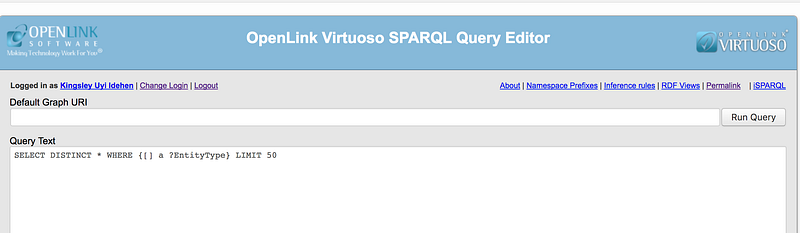
If you prefer, you can leave out the explicit FROM clause, and simply put the HTML document URL into the Default Graph URI input field, as depicted below:
Reduce Five Steps to One
Naturally, you can achieve all this in a single step by taking advantage of the live Virtuoso 8.0 instance behind our URIBurner Service. Here, you simply run the query, and follow-your-nose to a world of serendipitous discovery.